
How to Investigate Inventory Discrepancies in a Small Business
Imagine your inventory spreadsheet shows 48 units of a product, but a physical count finds only 41. You check the sales dashboard, and it does not explain the missing seven units. Should you immediately reduce the stock level in your system or assume someone has taken the products?
Neither is a good first move.
An inventory discrepancy means the quantity recorded in your business records does not match the quantity you can physically verify. The difference might come from an unrecorded sale, a supplier delivery error, a misplaced box, a return that was never processed, or an incorrect stock adjustment.
For a small business, even a few unexplained units can affect purchasing decisions, customer orders, and cash flow. The practical solution is to investigate the difference before changing your records.
This guide explains how to identify inventory discrepancies, trace their possible causes, calculate their financial impact, and create a simple investigation routine without needing a large warehouse team.
What Is an Inventory Discrepancy?

An inventory discrepancy occurs when the stock quantity shown in your records differs from the quantity physically available or verified at a particular location.
For example, a small online store records 120 phone cases in its inventory system. During a stock check, the owner counts 114 sellable cases.
The difference is six units.
However, that does not automatically mean six products have been stolen. Some may have been damaged, placed in another storage location, included in an unprocessed order, or missed during a previous transaction.
It is important to distinguish between three figures:
Recorded stock: The quantity shown in your inventory spreadsheet or software.
Physical stock: The quantity actually counted at the relevant location.
Available stock: The quantity that can currently be sold after accounting for reserved, damaged, or otherwise unavailable products.
These figures should not be treated as interchangeable. A business can physically hold 30 products but have only 24 available for new orders because six are already committed to customers.
Why Do Inventory Records and Physical Counts Differ?
Before investigating a mismatch, understand the common processes that can create one. Start with ordinary operational mistakes instead of assuming that theft is responsible.
1. Supplier Deliveries Were Recorded Incorrectly
A purchase order might list 50 units, while the supplier delivers only 46. If your employee records the full order quantity without checking the shipment, the system will show four more units than the business actually received.
The opposite can also happen. A supplier may deliver extra units that never get added to the inventory records.
Compare purchase orders, delivery notes, supplier invoices, and receiving records before making an adjustment.
2. Sales Were Not Recorded Properly
Inventory should normally decrease when a product is sold. However, manual sales, offline transactions, or disconnected sales channels can cause delays or missing updates.
This is particularly important for businesses selling through both a physical shop and an online store.
For example, a product may sell at a local market while the online inventory system continues showing the old quantity. An online customer could then order something that is no longer available.
3. Returns Were Not Added Back Correctly
A customer returns a product, and your business issues a refund. But does that product automatically become available inventory?
Not necessarily.
The item might be damaged, incomplete, or waiting for inspection. Alternatively, an employee may have accepted the return but forgotten to update the stock records.
Keep returned products separate until someone decides whether they can be sold again.
4. Damaged or Missing Products Were Not Documented
Products can break during storage, become unusable during handling, or get damaged while being packed.
If a damaged item is thrown away without recording the quantity and reason, the inventory system continues showing stock that cannot be sold.
A basic damage log should include the product SKU, quantity, date, reason, and person recording the loss.
5. Products Were Moved Without Recording the Transfer
Small businesses sometimes keep stock in several places, such as a shop, home office, storage room, or external warehouse.
Moving products between these locations without recording the transfer can make one location appear short and another appear overstocked.
Always record where the products came from, where they went, how many units moved, and when the transfer happened.
6. Counting or Data Entry Errors Occurred
A physical count is not automatically accurate.
Someone might count the same shelf twice, overlook a storage box, confuse two similar product variants, or enter a case quantity as individual units.
A second count is often the quickest way to rule out a simple counting mistake.
How to Investigate Inventory Discrepancies Step by Step

The following process is designed for a small business that may not have a dedicated inventory control department.
Step 1: Record the Exact Difference
Start by identifying the product and the quantity that does not match.
Record:
- Product name and SKU
- Storage location
- Quantity shown in the system
- Physical quantity counted
- Date and time of the count
- Person who completed the count
For example, a business records 75 units of a product but physically counts 69.
The difference is six units.
Do not change the inventory system yet. First, preserve the original numbers so you have something to investigate.
Step 2: Count the Product Again
Repeat the count before searching through weeks of transactions.
Check shelves, storage boxes, packing stations, returned-goods areas, and any other location where the product might be kept.
If possible, ask a second person to count without showing them the first result. This reduces the chance that they simply repeat the original number.
Also check whether the product is stored under another SKU, barcode, size, or colour.
Step 3: Confirm the Inventory Count Time
This step is easy to overlook.
Suppose your employee counts stock at 10:00 AM. At 10:15 AM, another employee dispatches three orders. If you compare the physical count with a system report generated after those orders were processed, the figures may not match.
Use the same count time as your reference point.
For a busy business, pause stock movements during a count where practical. If that is not possible, record every sale, receipt, transfer, and return that occurs during the counting period.
Step 4: Review Recent Inventory Transactions
Once the count is confirmed, examine the transactions that could explain the difference.
Start with:
- Recent supplier deliveries
- Customer orders and dispatch records
- Refunds and returned products
- Damaged stock reports
- Transfers between storage locations
- Manual inventory adjustments
- Offline sales or unsynchronised transactions
You do not need to review every transaction in the business immediately. Start with the period between the last confirmed accurate count and the current count.
Step 5: Investigate the Highest-Value Differences First
A small quantity difference can represent a significant financial loss if the product is expensive.
Consider this example:
| Product | Missing units | Unit cost | Estimated difference |
|---|---|---|---|
| Phone case | 8 | $4 | $32 |
| Wireless speaker | 2 | $65 | $130 |
| Notebook | 15 | $2 | $30 |
The wireless speaker has the largest estimated financial impact, even though only two units are missing.
A small business with limited time should investigate that discrepancy first while keeping the other differences on its review list.
Step 6: Identify the Cause Before Adjusting Stock
Once you find an explanation, record it.
For example:
- Two units were damaged but never documented.
- Three units were delivered to another storage location.
- One customer return was not processed.
- One unit was entered incorrectly during a previous count.
If you cannot identify the cause, mark it as unexplained rather than inventing an explanation.
After verification and the appropriate approval, update the inventory records. Keep the original count, investigation notes, supporting documents, and adjustment details together.
How to Calculate an Inventory Discrepancy
You can calculate the difference using a simple formula:
Inventory Variance = Physical Stock – Recorded Stock
A negative result means fewer units were counted than expected. A positive result means more units were counted.
To calculate the percentage difference relative to recorded stock:
Discrepancy Percentage = (Absolute Quantity Difference / Recorded Stock) x 100
Example: A Small Online Store
Suppose an online store has the following figures:
| Detail | Quantity |
|---|---|
| Recorded inventory | 200 units |
| Physical inventory | 188 units |
| Difference | 12 units |
| Unit cost | $15 |
The percentage difference is:
12 / 200 x 100 = 6%
The estimated cost value of the missing stock is:
12 x $15 = $180
This is an illustration of a stock variance, not proof that $180 has been stolen. The business still needs to investigate whether the difference came from damage, recording errors, unprocessed orders, or another cause.
Also, do not confuse this percentage with a shrinkage rate based on net sales. Different measures answer different business questions, so always label the calculation you use.
A Simple Inventory Discrepancy Investigation Sheet
You do not need expensive inventory software to document a basic investigation.
A spreadsheet can include these columns:
| Field | What to record |
|---|---|
| Date | When the difference was found |
| SKU | Product identification code |
| Location | Where the stock was counted |
| Recorded quantity | System quantity |
| Physical quantity | Verified count |
| Variance | Difference between the figures |
| Estimated cost | Difference multiplied by unit cost |
| Possible cause | Supplier, sales, return, damage, transfer, or unknown |
| Evidence checked | Invoice, order, return, or transfer record |
| Action taken | Investigation result and approved adjustment |
| Reviewer | Person who approved the change |
This creates a record that can be reviewed later. It also helps the owner notice whether the same problem keeps happening.
How to Prevent Inventory Discrepancies in a Small Business
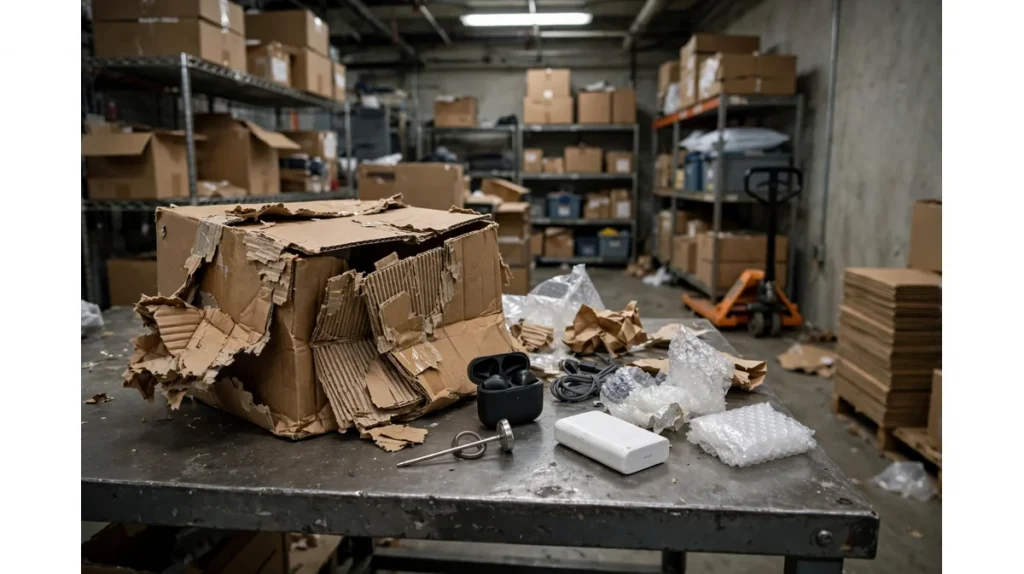
Investigating one mismatch is useful, but preventing the same problem from happening again is even better.
Use a Consistent Receiving Process
Count incoming products against the purchase order and delivery documents before adding them to available stock.
Record shortages, damaged packaging, and unexpected quantities immediately. Do not assume that an invoice confirms what physically arrived.
Create a Simple Returns Procedure
Every returned product should pass through a clear process:
- Receive the returned item.
- Record its arrival.
- Inspect its condition.
- Decide whether it is sellable.
- Update the appropriate inventory status.
This prevents damaged products from accidentally being offered for sale.
Schedule Regular Stock Counts
You do not have to count every product every day.
A small store can count selected products on a rotating schedule, giving priority to expensive, popular, fragile, or frequently disputed items.
The right frequency depends on the number of products, sales volume, and the cost of mistakes.
Limit Unexplained Manual Adjustments
Employees should not be able to change inventory quantities without leaving a reason.
Where possible, restrict adjustment permissions and require approval for significant changes.
A record of who made an adjustment and why makes later investigations much easier.
Keep Storage Locations Clearly Identified
Use simple labels for shelves, bins, and storage areas. Make sure everyone knows where each product belongs.
When products move, record the transfer instead of relying on someone to remember it later.
Review Inventory and Fulfillment Costs
Businesses using external warehouses should understand how receiving, storage, picking, packing, and returns are handled.
If your business uses outsourced fulfillment, our guide to 3PL fees for small businesses explains the charges and inventory-related services to review before choosing a provider.
How Inventory Discrepancies Affect Small Business Cash Flow
Inventory errors are not just a stockroom problem.
If your records show products that are not actually available, you may accept orders you cannot fulfil. This can lead to refunds, additional shipping costs, customer complaints, and lost future sales.
If your records show less stock than you physically have, you might reorder products unnecessarily and tie up money that could be used for payroll, supplier payments, or other business expenses.
For example, imagine a small retailer has $5,000 available in its business account and spends $1,200 replacing products that were already in storage but recorded under the wrong location.
The purchase may be unnecessary. That $1,200 could have been available for other operating needs.
This is why accurate stock records matter when planning business finances. For more guidance, see our article on managing cash flow in a small business.
A Weekly Inventory Review Routine for Small Businesses
A simple routine is easier to maintain than a complicated process that nobody follows.
Here is an example of a weekly review:
| Day | Task |
|---|---|
| Monday | Check high-value and fast-selling products |
| Tuesday | Review incoming supplier deliveries |
| Wednesday | Check returns, refunds, and damaged stock |
| Thursday | Review manual adjustments and stock transfers |
| Friday | Investigate unresolved differences and update the review sheet |
This is an illustrative schedule. A business with fewer products may need a shorter routine, while a busy retailer may need more frequent checks.
The important thing is to assign responsibility and keep a record of unresolved issues.
Frequently Asked Questions
What causes inventory discrepancies in a small business?
Common causes include supplier delivery errors, unrecorded sales, incorrect returns, damaged products, stock transfers, counting mistakes, and manual data entry errors. Theft is another possibility, but it should not be assumed without investigation.
How do you investigate missing inventory?
Start by confirming the physical count, checking the count time, and reviewing recent purchases, sales, returns, transfers, and adjustments. Record the evidence and investigate the cause before changing the inventory records.
How often should a small business check inventory?
It depends on sales volume, product value, and the risk of stock errors. Many small businesses benefit from regular rotating counts, with more frequent checks for high-value or fast-selling products.
What is the difference between inventory shrinkage and an inventory discrepancy?
An inventory discrepancy is any difference between recorded stock and verified stock. Inventory shrinkage generally refers to the loss of inventory value or quantity that cannot be accounted for through normal transactions. A discrepancy may be resolved once a recording or counting mistake is identified.
Can inventory discrepancies happen in an online business?
Yes. Ecommerce businesses can experience stock mismatches because of unprocessed returns, delayed system updates, incorrect product variants, picking mistakes, and sales across multiple platforms.
Should I adjust inventory as soon as I find a mismatch?
Not immediately. First recount the product and investigate recent transactions. Once the difference is verified and the cause is documented as far as possible, make an approved adjustment and retain the supporting records.
Final Thoughts
An inventory discrepancy does not automatically mean theft or a major financial problem. Sometimes the explanation is a missed return, an incorrect delivery record, or a product stored in the wrong place.
The important thing is not to correct the number and forget about the cause.
A reliable small-business inventory process should make every difference visible, investigate it with evidence, document the result, and prevent the same issue from happening again. Even a basic spreadsheet and a consistent weekly review can make stock management more dependable.